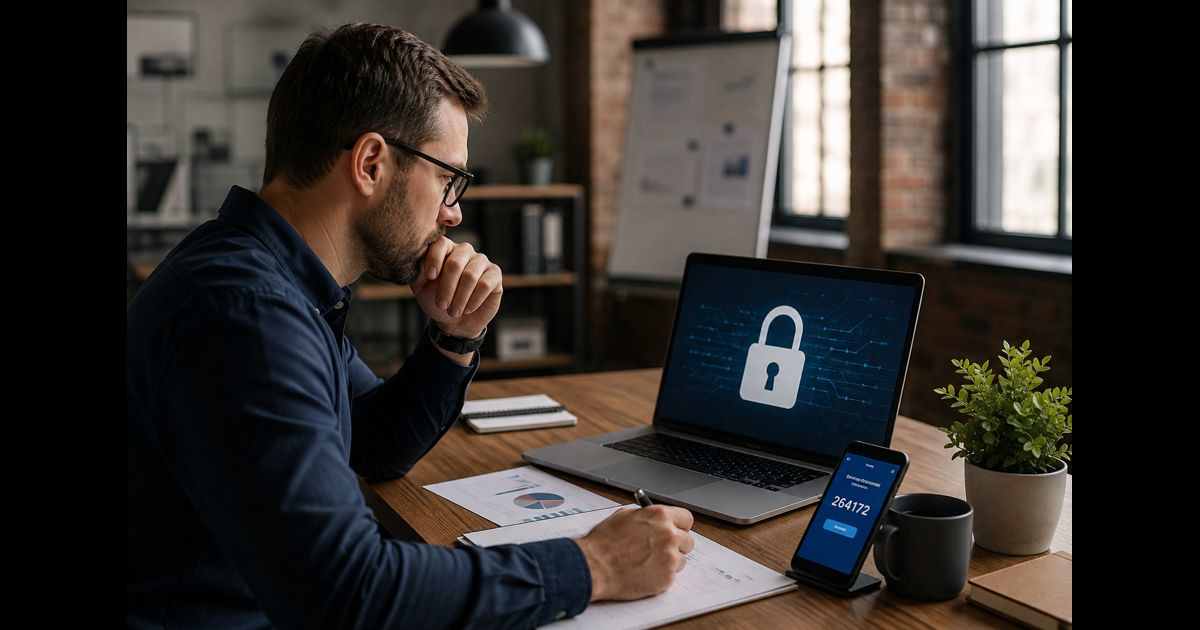
Cybersecurity basics for small business begin with a manageable set of protections: identify critical accounts and data, assign responsibility, require multi-factor authentication, keep systems updated, restrict access, maintain recoverable backups, train employees, monitor warning signs, and prepare a written incident response plan.
A small company does not need an enterprise-sized security department to build a credible defense. It does need clear ownership and consistent controls. One unprotected email account, forgotten administrator login, unpatched laptop, or unverified payment request can expose the entire operation.
The goal is not to prevent every possible incident. It is to reduce the likelihood of common attacks, limit the damage if one succeeds, and restore essential operations without improvising under pressure.
The Small-Business Cybersecurity Baseline
A dependable security baseline should answer six questions:
- Who is responsible for security decisions?
- Which systems, accounts, devices, and data are essential?
- What controls protect them?
- How will suspicious activity be noticed?
- What will the business do during an incident?
- How will operations and data be restored?
These questions align protection with business operations. A control is not truly in place because someone intended to configure it. It is in place when it has an owner, covers the required users or systems, and has been tested.
|
Priority |
Minimum action |
Evidence that it is working |
|
Ownership |
Name a security coordinator and backup contact |
Responsibilities and contact details are documented |
|
Accounts |
Require MFA on critical and administrative accounts |
Enrollment report shows required accounts are covered |
|
Passwords |
Use unique credentials stored in a password manager |
Shared or reused passwords have been removed |
|
Updates |
Enable automatic security updates where possible |
Devices and applications report current supported versions |
|
Access |
Give each person only the permissions required |
User and administrator lists have been reviewed |
|
Backups |
Maintain protected backups and test restoration |
A recent restore test succeeded |
|
Training |
Teach staff how to verify suspicious requests |
Employees know where and how to report concerns |
|
Response |
Prepare a one-page incident plan |
Named contacts can locate and follow it |
Assign Responsibility Before Buying Tools
Cybersecurity fails when everyone assumes someone else is handling it. Appoint one person to coordinate the program, even if security is only a small part of that employee’s role.
The coordinator does not have to solve every technical problem personally. The role is to confirm that important tasks have owners, deadlines, and evidence of completion. An external IT provider may manage systems, but the business still needs someone who can verify what the provider is responsible for.
Document responsibility for:
- User accounts and access approvals
- Software and device updates
- Backups and restoration tests
- Employee security training
- Vendor and software approval
- Suspicious activity reports
- Incident coordination
- Insurance, legal, and law-enforcement contacts
The owner or senior manager should review material risks and unresolved problems. Cybersecurity is an operational risk, not merely an IT maintenance task.
Identify What the Business Must Protect
Begin with a simple inventory. A business cannot secure accounts, devices, or information it does not know it has.
Record:
- Business email accounts
- Banking, payroll, accounting, and payment platforms
- Websites, domains, hosting, and social media accounts
- Customer relationship and support systems
- Cloud storage and document-sharing services
- Laptops, phones, tablets, routers, printers, and servers
- Customer, employee, financial, health, and identity information
- Software vendors, contractors, and managed service providers
- Backup locations and recovery credentials
For each item, name an owner and ask what would happen if it became unavailable, corrupted, exposed, or controlled by someone else.
Prioritize systems that could stop revenue, expose regulated or sensitive information, enable payments, or provide access to other services. Business email deserves particular attention because it is commonly connected to password resets, invoices, customer communication, cloud files, and administrative approvals.
Remove abandoned accounts and software rather than leaving them unattended. Retaining data and systems with no continuing business purpose creates risk without creating value.
Secure Identities and Email First
Stolen credentials can give an attacker legitimate-looking access without requiring malware. Protecting identity is therefore one of the highest-value actions available to a small business.
Require Multi-Factor Authentication
Enable MFA for:
- Banking and payment services
- Payroll and accounting systems
- Cloud storage
- Remote access
- Website, domain, and hosting administration
- Social media accounts
- Password managers
- IT management tools
- Every account with administrator privileges
Passkeys, hardware security keys, and other phishing-resistant methods provide stronger protection where supported. Authenticator applications are generally preferable to codes delivered by text message. SMS-based verification is still better than relying on a password alone, but phone-number takeover and message interception make it a weaker option.
Store recovery codes securely. Do not keep the only recovery method inside the account it is intended to recover.
Use a Business Password Manager
Every account should have a unique password. Reusing a password allows one compromised service to endanger unrelated accounts.
A managed password manager can generate and store long credentials, reduce reuse, and allow controlled sharing without sending passwords through email or chat. Protect the password manager itself with strong MFA and a carefully secured recovery process.
Do not create one shared login for an entire team when individual accounts are available. Individual identities make access easier to revoke and activity easier to investigate.
Separate Administrator Accounts
Employees should perform ordinary work through standard accounts. Administrator access should be reserved for tasks that genuinely require it.
Create separate administrator identities, protect them with strong MFA, and avoid using them for routine email, browsing, or document work. Reducing everyday use limits the opportunity for stolen credentials or malicious files to gain powerful permissions.
Protect Devices, Software, and Networks
Every business device should have a known owner, a supported operating system, screen locking, storage encryption, and current security updates.
Keep Systems Supported and Updated
Enable automatic updates for operating systems, browsers, business applications, security software, phones, and tablets. Review devices or applications that require manual updates, including routers, printers, website plugins, and specialized equipment.
Replace software that no longer receives security fixes. An unsupported application can remain vulnerable even when every other control is configured correctly.
Updates should come from the original vendor or an approved device-management system. Unexpected pop-ups urging an employee to install an update may be fraudulent.
Use Endpoint Protection
Maintain reputable endpoint protection on every compatible business computer. Confirm that it is active, updating successfully, and reporting problems to someone who will respond.
Security software is one layer, not a substitute for MFA, backups, updates, or employee judgment. A valid username and password may allow harmful activity without triggering a traditional antivirus alert.
Encrypt and Lock Portable Devices
Enable full-device encryption on laptops and mobile devices. Require automatic screen locking and a PIN, password, or biometric unlock.
Configure remote location and wiping where appropriate. Lost equipment should be reported immediately so accounts, sessions, and access tokens can be revoked.
Do not allow sensitive business information to remain on personal devices unless the company has deliberately approved and protected that arrangement.
Secure the Business Network
Change default administrator credentials on routers and other network equipment. Use WPA2 or WPA3 encryption, install firmware updates, and disable remote administration unless it is genuinely required and safely configured.
Place visitors and untrusted personal devices on a separate guest network. Businesses with internet-connected cameras, displays, or other smart devices should consider separating them from computers that handle sensitive work.
Public Wi-Fi should not be treated as trusted. Employees working remotely should use secured connections and avoid automatically joining unknown networks.
Limit Access to Data and Systems
Access should follow a simple rule: each person receives what is necessary for the job and nothing more.
Review:
- Who can view, download, change, or delete sensitive files
- Who can approve or send payments
- Who can create users or change permissions
- Which external contractors retain access
- Which applications can connect to email or cloud storage
- Whether former employees still have active accounts
- Whether shared links remain publicly accessible
Seniority alone should not provide unrestricted administrator access.
Establish an offboarding process that disables accounts, revokes active sessions, collects devices, changes shared credentials, transfers ownership of files, and removes access from third-party systems. Perform these actions promptly when employment or contract access ends.
Keep an emergency administrator account for recovery, but do not use it for daily work. Protect its credentials and test the recovery procedure without exposing the account unnecessarily.
Collect and Retain Only Necessary Information
Sensitive information cannot be exposed after it has been securely deleted. Decide what customer, employee, and payment information the business genuinely needs, why it is collected, where it is stored, and when it should be removed.
Avoid sending passwords, full payment-card details, identity documents, or other sensitive records through ordinary email. Use approved systems designed for the relevant information.
Before allowing a new application to access business files, contacts, email, or customer records, review:
- The information it will receive
- The permissions it requests
- Who can create or administer accounts
- Retention and deletion options
- Security and privacy settings
- Export procedures
- What happens when the subscription ends
- Whether submitted information may be used for another purpose
These checks also apply to browser extensions, mobile applications, connected integrations, and AI tools. A convenient application should not receive unrestricted access merely because setup takes only a few clicks.
Build Backups That Can Actually Restore the Business
Cloud synchronization is not automatically a backup. If ransomware encrypts synchronized files, an employee deletes a folder, or an attacker takes over the account, the unwanted change may spread to every synchronized copy.
A reliable backup process should:
- Run automatically
- Cover essential cloud data as well as local files
- Keep multiple recovery points
- Include a copy separated from ordinary user access
- Prevent routine users from deleting all backups
- Protect backup administration with MFA
- Produce alerts when jobs fail
- Be tested through restoration
Decide how much data the business can afford to lose and how long critical operations can remain unavailable. A company that processes transactions throughout the day may need more frequent recovery points than one maintaining monthly archives.
Test a representative restoration at scheduled intervals. Confirm that the recovered files open correctly, necessary permissions remain available, and the business knows how long restoration takes. A successful backup notification does not prove that recovery will work.
Reduce Phishing and Payment Fraud
Phishing is not limited to suspicious links. An attacker may impersonate an owner, supplier, employee, customer, bank, delivery service, or technology provider. A compromised supplier account can send a message from a legitimate address and continue an existing conversation.
Train employees to pause when a request involves:
- A new bank account
- Changed payment instructions
- Gift cards or cryptocurrency
- Passwords or verification codes
- Urgent secrecy
- An unexpected document or login page
- Remote-access software
- A change to payroll details
- An unusual request from a senior employee
- Pressure to bypass the normal approval process
Changes to payment instructions should be confirmed through a previously known phone number or another trusted channel. Do not use contact details supplied in the message requesting the change.
Require a second approval for high-value or unusual payments. Separate the ability to create a payment from the ability to release it where the banking platform supports that control.
Employees should have a simple reporting route and should be encouraged to report quickly, even after clicking or responding. Fear of blame delays containment.
Protect Business Email Against Impersonation
Ask the email or domain administrator to confirm that SPF, DKIM, and DMARC are configured correctly for every service authorized to send mail using the company’s domain.
These controls help receiving systems distinguish authorized messages from some forms of domain impersonation. They do not prevent an attacker from using a similar-looking domain or sending from a genuinely compromised account, so employee verification and payment controls remain necessary.
Review automatic forwarding rules and connected applications after any suspicious email activity. Attackers sometimes create hidden rules to copy messages, delete warnings, or monitor financial conversations.
Review Vendors and Cloud Services
A provider can hold important data or possess powerful access to business systems. Before approving a critical vendor, understand:
- Which data and systems the provider can access
- How its personnel authenticate
- Whether MFA is available and enforceable
- How security incidents will be reported
- How backups and restoration are handled
- Whether activity logs are available
- How subcontractors are controlled
- How data can be exported and deleted
- What support is available during an incident
- Which security duties remain with the customer
Do not assume that moving data to the cloud transfers every security responsibility to the provider. The vendor may secure the underlying service while the customer remains responsible for users, permissions, MFA, sharing settings, connected applications, and data retention.
Keep a list of external support contacts outside the systems they support. If email or cloud storage becomes unavailable, the business must still be able to reach its providers.
Create Simple Detection and Reporting Routines
Prevention is incomplete without a way to notice trouble. Configure available alerts for:
- Logins from unfamiliar locations or devices
- MFA changes or repeated prompts
- New administrator accounts
- Password or recovery-method changes
- Email forwarding rules
- Large downloads or unusual file sharing
- Security software being disabled
- Backup failures
- Website changes
- New banking recipients or payment details
- Unusual sign-in failures
Alerts must reach a person who understands when and how to respond. An unattended security mailbox provides little protection.
Employees should report unexpected MFA prompts, missing files, unexplained password resets, lost devices, strange sent messages, and requests that feel inconsistent with normal business practice.
Prepare a One-Page Incident Response Plan
An incident plan should be short enough to use under pressure. Keep a protected digital copy and an offline copy containing:
- Incident coordinator and backup
- IT provider or security specialist
- Legal counsel
- Cyber-insurance contact and policy number
- Bank and payment-provider fraud contacts
- Essential vendors
- Law-enforcement reporting information
- Internal decision-makers
- Communication responsibilities
- Critical system recovery order
The plan should distinguish between technical containment and legal notification. A business may have duties based on its location, industry, contracts, and the information involved. Qualified legal advice may be necessary before notifying customers or making public statements.
The First 30 Minutes of a Suspected Incident
- Report and record the problem. Note what was observed, when it began, the affected account or device, and actions already taken.
- Contact the incident coordinator and technical support. Use a trusted communication method if business email may be compromised.
- Limit further harm. Disconnect a clearly compromised device from networks without deleting files or wiping it. Avoid destroying evidence.
- Protect accounts from a clean device. Revoke active sessions, reset exposed credentials, and secure recovery methods. Check for unauthorized administrators, forwarding rules, or connected applications.
- Contact the financial institution immediately if money moved. Request a recall or reversal as soon as fraud is recognized.
- Preserve relevant records. Retain messages, timestamps, alerts, payment details, screenshots, and system logs.
- Assess legal and contractual duties. Involve the insurer and legal counsel where appropriate before making notification decisions.
- Restore carefully. Confirm that the cause has been contained before reconnecting systems or restoring data.
Do not send sensitive response details through an account that may still be controlled by an attacker.
A Practical 30-Day Implementation Plan
Week 1: Protect the Most Powerful Accounts
- Name the security coordinator
- Inventory email, banking, payroll, cloud, website, and administrator accounts
- Require MFA
- Secure recovery methods
- Remove abandoned accounts
- Confirm that payment changes require independent verification
Week 2: Secure Devices and Access
- Inventory business devices
- Enable automatic updates, screen locks, and encryption
- Confirm endpoint protection is active
- Separate standard and administrator access
- Update router firmware and credentials
- Disable former employee and contractor access
Week 3: Protect Data and Recovery
- Identify critical and sensitive information
- Remove unnecessary data
- Review file-sharing permissions
- Configure protected backups
- Test a representative restoration
- Document the order in which critical systems must be recovered
Week 4: Prepare People and Response
- Deliver a short phishing and payment-fraud exercise
- Establish a clear reporting route
- Configure important security alerts
- Write the one-page incident plan
- Verify external contact details
- Run a short scenario involving a compromised email account or unavailable files
At the end of the month, record unfinished actions and assign deadlines. Security improves through repeatable maintenance, not a one-time setup.
Ongoing Cybersecurity Schedule
Every Week
- Review urgent security alerts
- Investigate failed backups
- Install critical updates that were not applied automatically
- Remove obviously unauthorized accounts or applications
Every Month
- Review administrator accounts
- Check new software and connected applications
- Confirm that endpoint protection covers active devices
- Review unusual payment or email events
- Check whether critical vendors announced security changes
Every Quarter
- Review user and contractor access
- Restore selected files from backup
- Refresh staff training with a realistic scenario
- Check domain, website, email, and recovery settings
- Review the incident contact list
- Remove unused software, accounts, and stored data
After Every Staffing or System Change
- Update access immediately
- Transfer ownership of important files and accounts
- Reassess backups and recovery
- Document new vendors and integrations
- Confirm who owns the changed system
When Professional Help Is Necessary
Seek qualified assistance when the business:
- Holds regulated or highly sensitive information
- Processes substantial payments
- Depends on complex cloud infrastructure
- Has experienced an account takeover, malware infection, or data exposure
- Cannot confirm whether an attacker still has access
- Needs forensic evidence
- Must determine breach-notification duties
- Has contractual security requirements
- Cannot restore essential operations
- Lacks the expertise to configure or verify critical controls
When hiring an IT provider, define responsibilities in writing. Ask how the provider protects its own privileged access, enforces MFA, monitors alerts, tests backups, removes staff access, and supports incidents outside normal hours.
Cyber insurance may help with certain response costs, but coverage conditions, exclusions, notification requirements, and approved providers vary. Insurance does not replace effective controls or recovery planning.
Small-Business Cybersecurity Self-Check
A “no” or “not sure” answer identifies work that needs an owner.
- Do all critical and administrator accounts use MFA?
- Does every employee use an individual account?
- Are passwords unique and securely managed?
- Are business devices inventoried, encrypted, updated, and protected?
- Have default router and device credentials been changed?
- Can former employees and contractors be removed promptly?
- Are payment-detail changes independently verified?
- Does the business know where sensitive information is stored?
- Are unnecessary records securely removed?
- Are cloud-sharing permissions reviewed?
- Are backups separated from normal user access?
- Has a restoration been tested successfully?
- Can employees report suspicious activity immediately?
- Does someone receive and review security alerts?
- Is there an offline incident contact list?
- Does the business know whom to contact after payment fraud or data exposure?
A business answering “no” to several questions should begin with email, administrator accounts, financial systems, backups, and employee reporting. Those areas commonly combine high impact with practical improvements.
Final Thoughts
Cybersecurity basics for small business are most effective when they protect real operations rather than exist as a list of intentions. The strongest starting point is a named owner, an accurate inventory, secured identities, updated devices, restricted access, recoverable backups, prepared employees, and a response plan that can be used without relying on compromised systems.
Security will never be completely finished. Accounts, employees, vendors, devices, and threats change. A small business becomes more resilient by reviewing those changes regularly, correcting gaps promptly, and confirming that essential safeguards work before an incident tests them.
Frequently Asked Questions
What is the first cybersecurity step for a small business?
Identify the business’s most important email, financial, cloud, website, and administrator accounts. Assign an owner and require MFA on each one. These accounts can provide access to money, data, password resets, and other systems.
What are the most important cybersecurity controls for a limited budget?
Prioritize MFA, unique passwords stored in a password manager, automatic updates, limited administrator access, protected backups with restore testing, employee phishing awareness, payment verification, and a written incident plan. Many of these controls are already included in business software subscriptions.
Does a small business need a full-time cybersecurity employee?
Not necessarily. A small business does need an accountable internal coordinator. Technical work may be handled by a qualified IT provider, but responsibilities, reporting, backup testing, privileged access, and incident support should be defined and verified.
Is antivirus enough for a small business?
No. Endpoint protection can detect some malicious activity, but it cannot compensate for stolen credentials, excessive permissions, weak payment procedures, unprotected cloud accounts, or unusable backups.
Is cloud storage automatically backed up?
Not always. Synchronization and retention features vary. Confirm what can be recovered after deletion, ransomware, account takeover, or service failure. Maintain an appropriate independent backup and test restoration.
How often should employee cybersecurity training happen?
Provide training during onboarding, refresh it regularly, and repeat it when procedures or threats change. Short exercises based on realistic email, payment, password-reset, and data-sharing situations are more useful than an annual presentation alone.
What should an employee do after clicking a suspicious link?
The employee should stop interacting with the message and report it immediately. If credentials were entered or software was installed, that detail must be included. The business should involve its technical contact, protect affected accounts from a clean device, review active sessions, and preserve evidence.
What should a business do after a fraudulent transfer?
Contact the financial institution immediately and request a recall or reversal. Preserve the messages and transaction information, notify the incident coordinator, secure affected accounts, contact appropriate law enforcement, and involve the insurer or legal counsel where relevant. Speed can affect the possibility of recovering funds.
How often should backups be tested?
Test restoration on a regular schedule and after major changes to systems, providers, or backup configurations. The appropriate frequency depends on how much data and downtime the business can tolerate.
Can cybersecurity eliminate every attack?
No security program eliminates all risk. Effective controls reduce the likelihood of common attacks, restrict what an intruder can reach, improve detection, and help the business recover with less disruption.